
Let’s be honest: the blank canvas isn't so scary. It’s the wrong tools that cause the real headache. For graphic designers, vector graphics software is the bedrock of modern visual creation—the essential toolkit for everything from a scalable logo that works on a business card or a billboard to intricate illustrations and sleek UI designs. But as we roll into 2026, the landscape of these tools isn't just about bezier curves and pen tools anymore. It's about AI co-pilots, seamless collaboration, and workflows that feel intuitive, not interruptive. Choosing the right application can supercharge your creativity and efficiency. So, what truly defines the best vector graphics software for today’s versatile designer?
The Established Powerhouse: Adobe Illustrator
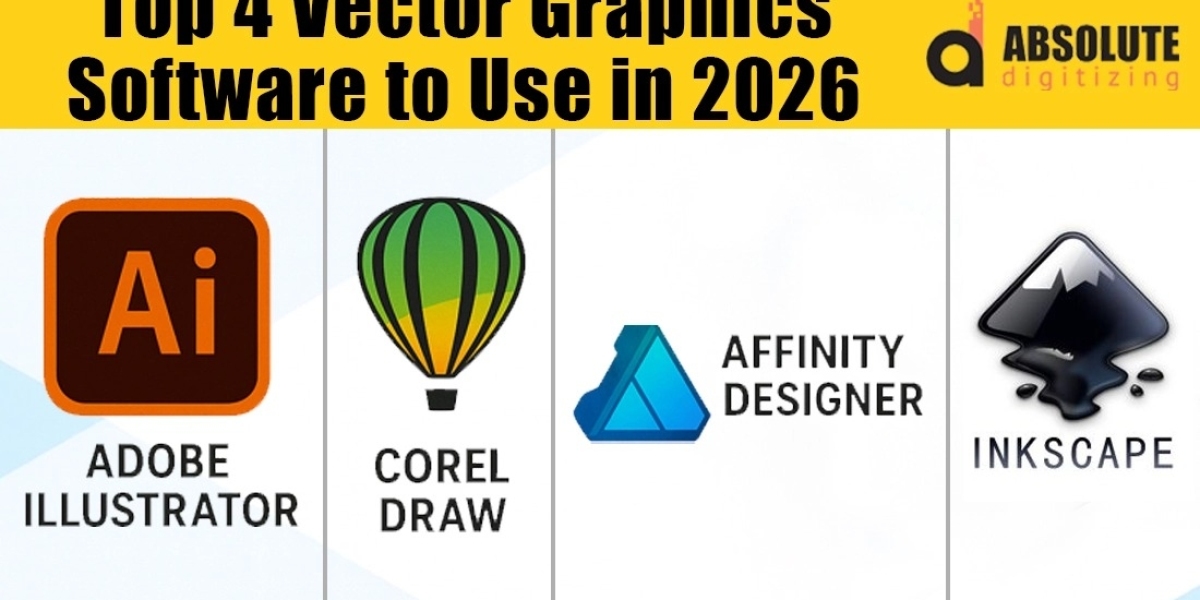
It’s impossible to have this conversation without starting here. Illustrator remains the industry standard for a reason. Its depth is unparalleled. For designers working in branding, detailed illustration, or complex typography, its comprehensive toolset is a professional necessity. In 2026, its integration with the broader Adobe Creative Cloud ecosystem—seamlessly moving assets to After Effects for animation or to Photoshop for further refinement—is its superpower. The recent infusion of generative AI tools, like text-to-vector graphics and AI-powered recoloring, is helping to modernize its workflow, automating tedious tasks while keeping creative control in the designer’s hands. For those entrenched in professional environments where file compatibility and raw, detailed control are non-negotiable, Illustrator still sets a high bar.
The Agile Challenger: Affinity Designer 2
If Illustrator is the heavyweight champion, Affinity Designer 2 is the agile, precise contender that has won over a massive audience. Its one-time purchase model (a breath of fresh air in a subscription world) and blistering performance are major draws. But where it truly shines for many designers is its unified approach. The ability to switch seamlessly between vector and raster personas within the same document is a game-changer for illustrators and digital artists who don't want to constantly bounce between apps. Its precision tools are exceptional, and for logo design, marketing materials, and web graphics, it offers 95% of Illustrator's core functionality at a fraction of the long-term cost. For independent designers, small studios, and anyone allergic to subscription fees, it’s a compelling top contender.
The Cloud-Native Collaborator: Figma
While not a traditional vector software in the standalone sense, Figma’s dominance in UI/UX and interface design cannot be ignored. For designers whose primary output is screens—websites, apps, digital prototypes—Figma is arguably the best vector graphics software for that specific job. Its vector editing tools are robust enough for icon design and interface illustration, but its real magic is in real-time collaboration, component libraries, and interactive prototyping. In 2026, as the lines between graphic design, product design, and teamwork continue to blur, Figma represents the future of collaborative, cloud-native design work. It proves that sometimes, the "best" tool is the one that best connects a team.
The Open-Source Champion: Inkscape
For designers on a strict budget, students, or open-source advocates, Inkscape is a powerhouse. It offers a surprisingly deep feature set, including powerful path operations, bitmap tracing, and broad file format support (including SVG, its native format). The community around it is vibrant, constantly producing tutorials and resources. While its interface may feel less polished than its commercial rivals and it lacks some of the cloud-based collaboration features, its cost (free) and capability make it an invaluable tool. It proves that professional-grade vector design does not have to come with a professional-grade price tag, making it an excellent choice for honing skills or handling projects where budget is the primary constraint.
The Specialized Performer: CorelDRAW Graphics Suite
CorelDRAW maintains a loyal, especially strong following in industries like signage, textiles, and technical illustration. Its suite-based approach bundles vector illustration with layout, photo editing, and typography tools in a single package. For designers in print-centric fields who need to handle long-document layout (like brochures or multi-page marketing kits) alongside vector artwork, CorelDRAW offers a streamlined, all-in-one workflow that can be more efficient than juggling multiple specialized apps. Its AI-powered tools for upscaling images and simplifying photo-to-vector workflows are also seeing significant updates, making it a niche but powerful choice for specific professional paths.
Choosing Your Weapon: It’s About Your Workflow
So, which one is truly the best? The answer in 2026 is more nuanced than ever.
- Choose Adobe Illustrator if you need industry-standard compatibility, work within large creative teams using the Adobe ecosystem, and require the deepest, most professional toolset available.
- Choose Affinity Designer 2 if you value performance and a one-time cost, are an independent creator or small studio, and love a streamlined, unified design experience.
- Choose Figma if your world is digital interfaces, collaboration is your daily reality, and you need to design, prototype, and hand off in a single, cloud-based environment.
- Choose Inkscape if budget is your primary concern, you value open-source software, or you need a fully-featured tool to learn and experiment without financial commitment.
- Choose CorelDRAW if your work is deeply tied to specific print and manufacturing industries or you prefer an integrated suite for combined vector and page-layout tasks.
Conclusion: The Best Tool Fits Your Hand
The search for the best vector graphics software in 2026 ends not with a universal name, but with a series of questions about your own practice. Consider your primary output, your collaboration needs, your budget, and the ecosystems you already work within. The modern designer’s toolkit might even include two of these—using Figma for UI work and Affinity Designer for brand assets, for instance. The great news is that the competition has pushed every platform to innovate, focusing on AI assistance, smoother workflows, and better collaboration. The true "best" software is the one that feels like a natural extension of your creative mind, getting out of your way and empowering you to bring your sharpest vector visions to life. Take advantage of free trials, explore their interfaces, and find the one that makes the daunting blank canvas feel like an opportunity, not an obstacle.